

Introduction
BIS handles three kinds of Committed Costs reflecting their respective functions within the job costing functionality:
- The unbilled portion of Purchase Orders.
- The unbilled portion of Subcontracts.
- Labor hours entered, but not paid.
1. Purchase Orders
Purchase Orders to your vendors are entered in the Purchase Order module.
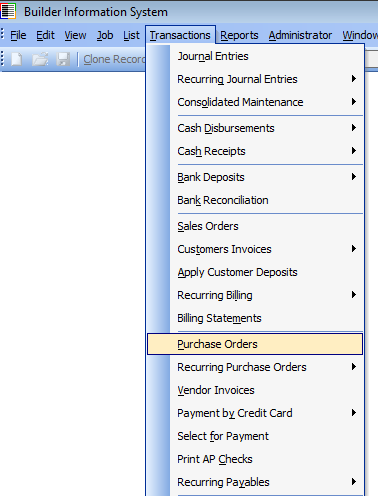
As soon as Purchase Orders are created, they represent committed costs. Even more important, as soon as they are paid, the paid portion becomes real costs.
2. Subcontracts
Similar to Purchase Orders, Subcontracts represent commitments to vendors that must be listed as committed costs.
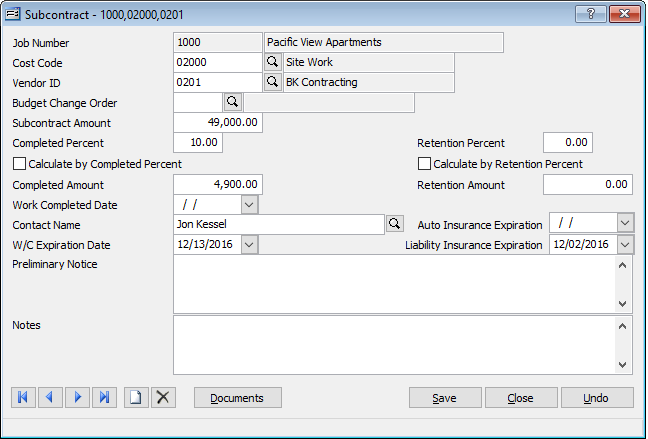
Like purchase orders, as the subcontract is paid, the committed cost becomes a real cost.
3. Hours Entered, but Payroll not Run
When payroll hours for jobs are entered, they too represent committed costs. However, like purchase orders and subcontracts, once it is paid, it shifts from committed costs to real costs. Like purchase orders, as the subcontract is paid, the committed cost becomes a real cost.
Reports
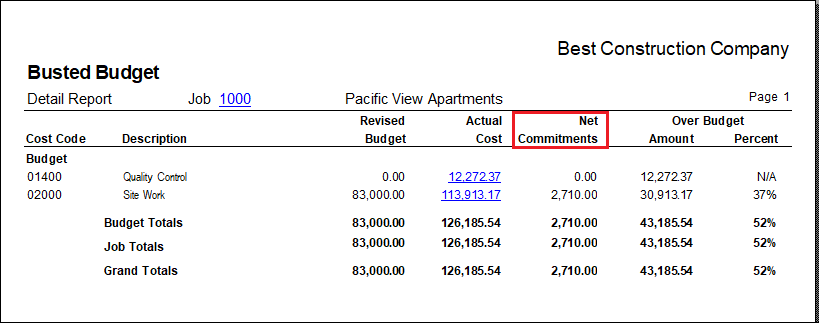
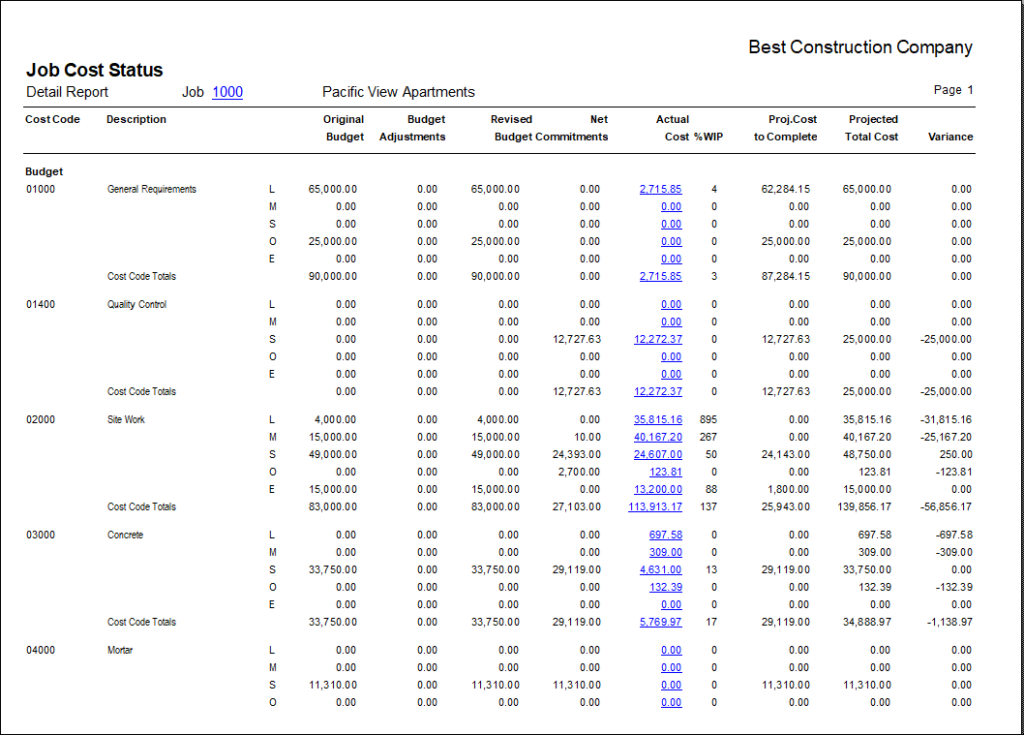
A variety of BIS reports show committed costs, and allow the user to track their shift to real costs. Below are two examples:
Summary
Committed Costs are an essential component in managing jobs in progress. BIS allows users to track committed costs in three ways, and presents the information clearly in its reports.