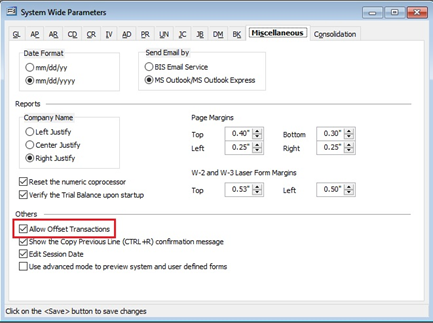
On the Miscellaneous tab in System Wide Parameters check the “Allow Offset Transaction.” Save the change.
- Create a BIS Backup.
- Enter the Prior Period.
- Void the AP check.
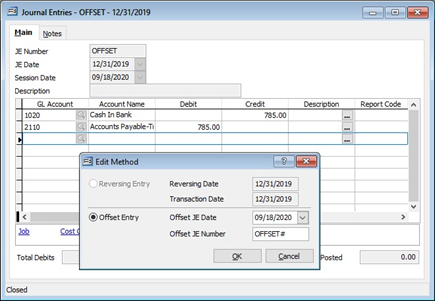
- Create a Journal Entry that credits the Cash account and debits the AP Payable account (for the amount of the check.) Save JE.
- Enter the Current Period.
- Go to Transactions Journal Entries. Find and open the Journal Entry. On “Offset Entry” Form enter the desired date in the Current Period and provide an Offset JE Number. Complete the JE and Save.