

The Burden Analysis Report allows you to view job costs broken down by direct and indirect cost.
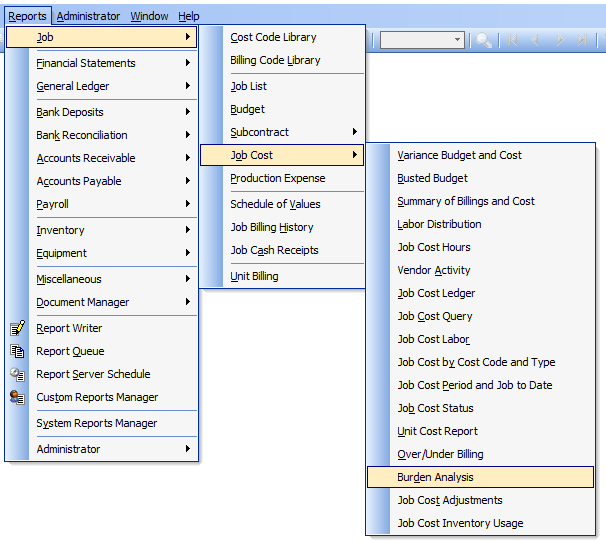
To access the report query form, go to Reports, Job, Job Cost and select Burden Analysis from the menu or select the link in the blue area of the My Desktop Job Cost folder.
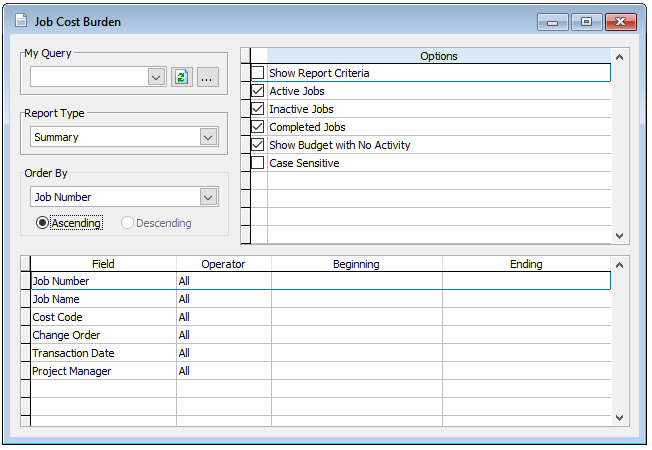
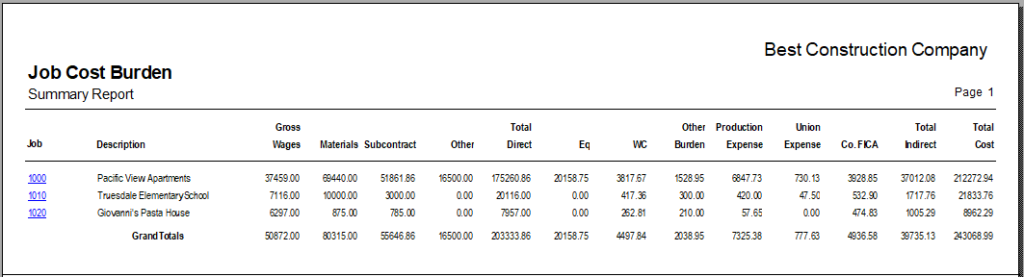
Report Type
Summary – shows the job number and name, plus total gross wages, materials, subcontracts, other direct costs, total direct costs, equipment, Workers’ Compensation, other burden, production expense, union expense, company FICA contributions, total indirect costs and total costs.
Detail – shows summary information broken down for each job by cost code and change order.
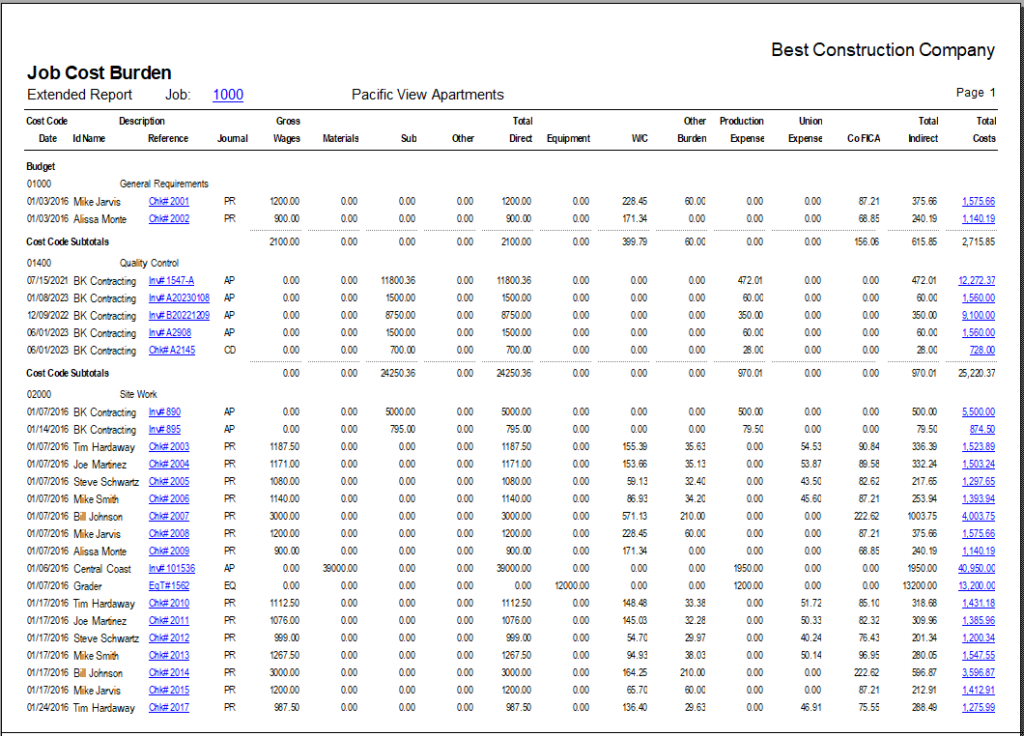
Extended – also displays detailed transaction information for each job cost, including date, vendor or employee ID and name, reference number and source journal of the transaction.

Order By
This report can be ordered by job number only.
Options
Show Report Criteria
Active Jobs
Inactive Jobs
Completed Jobs
Show Budget with No Activity
Case Sensitive
Filter
Select records based on job number, cost code, change order and date.