

System Wide Parameters as the name implies is the primary area in BIS where options and settings are available which affect all related areas within BIS. These settings are generally set or modified by the BIS Administrator.
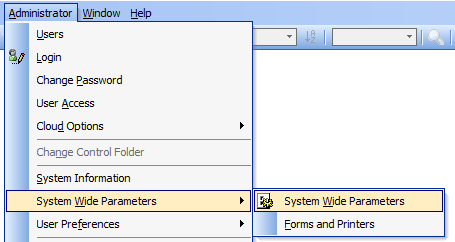
To access, go to Administrator, System Wide Parameters and select System Wide Parameters in the menu.
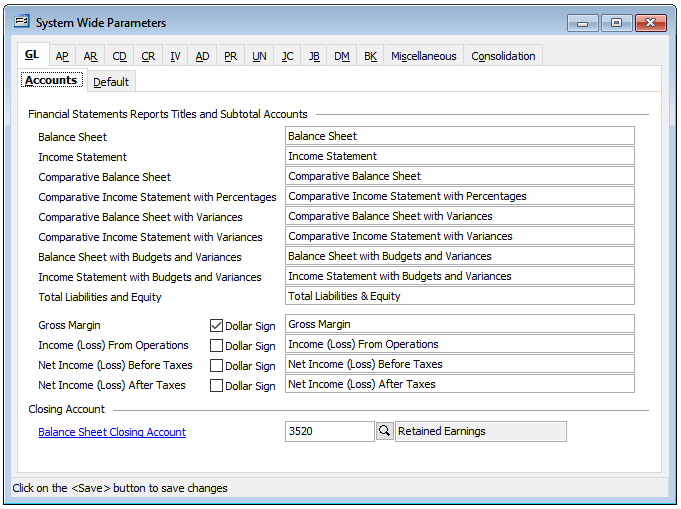
Each area is represented by a tab which may include one or more sub-tabs. Tabs include:
GL – General Ledger.
AP – Accounts Payable
AR – Accounts Receivables
CD – Cash Disbursements
CR – Cash Receivables
IV – Inventory
AD – Applied Deposits
PR – Payroll
UN – Union
JC – Job Cost
JB – Job Billing
DM – Document Manager
BK – Bank Reconciliation
Miscellaneous
Consolidation
If a tab appears greyed out, it is a module that is not a current apart of the company’s license agreement.
Each tab (module or area) will be covered in subsequent knowledge base articles.